Check these items first when preparing GoCalc tools on a Windows engineering workstation.
Compatibility
Which ETABS versions are supported?
GoCalc.AI for ETABS is intended for recent ETABS desktop installations. For the best result, use ETABS v20 or newer and keep ETABS installed locally on the same Windows machine.
Revit
Which Revit versions are supported?
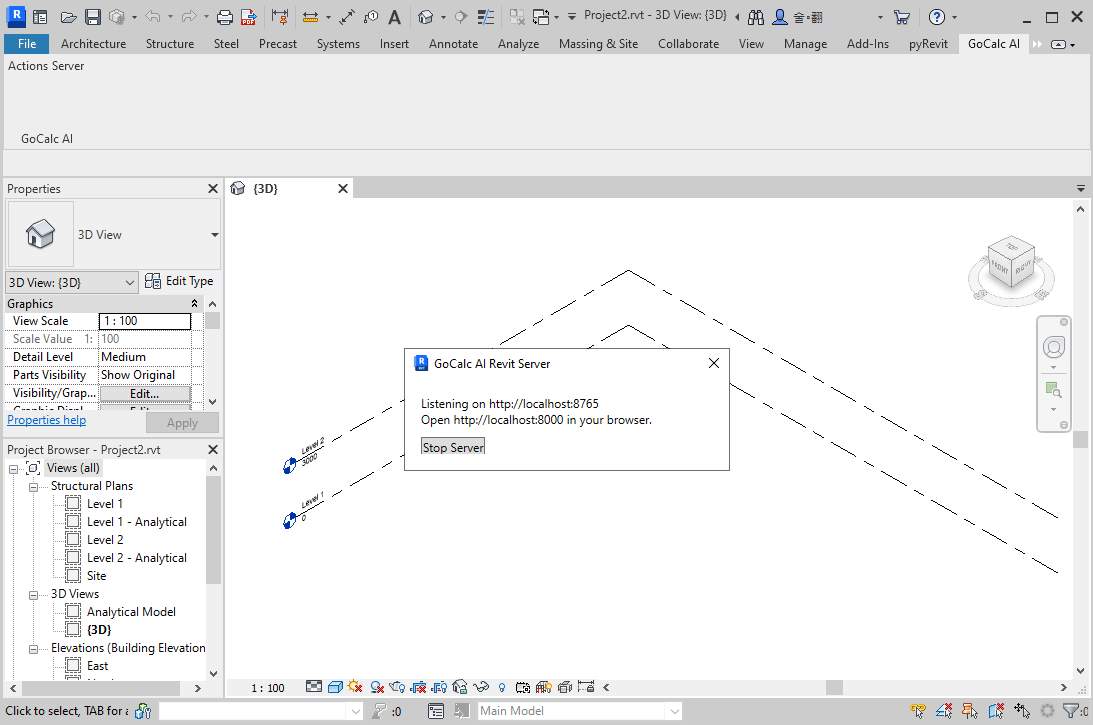
GoCalc.AI for Revit requires Autodesk Revit 2022 or newer. Open a Revit project before starting the GoCalc AI Server from the Revit ribbon.
Revit Offline
Why does the chat window say Revit offline?
The Revit server is not reachable. In Revit, click GoCalc AI then Server, confirm it is listening on localhost:8765, and then retry the command from the chat window.
Revit Commands
Why did a Revit command use the wrong size?
Use explicit units in prompts, such as 5 metres, 300 mm, or 5m. GoCalc.AI converts values into Revit's internal units, but unclear numbers can still be ambiguous.
Selection
Why did a selected-element Revit action fail?
Some Revit actions need you to select elements in Revit first. Select the columns, beams, or other target objects, then ask GoCalc.AI to work on the selected elements.
Excel
Does GoCalc work with Excel Online?
No. GoCalc add-ins require the desktop version of Microsoft Excel on Windows because they rely on local add-in features and desktop automation APIs.
Excel Add-in
Why does the GoCalc ribbon not appear?
Close and reopen desktop Excel after installation. If the ribbon still does not appear, load GoCalc.xlam from Excel Add-ins and check that the install folder is trusted by Excel.
Requirements
What does the Excel add-in require?
Use 64-bit desktop Microsoft Excel 2016 or newer. The add-in also uses Microsoft WebView2, and Python 3.8+ is only needed when you use the Python IDE workflow.
Windows
Which Windows and Excel versions should I use?
Use a supported Windows desktop environment with Microsoft Excel 365, 2021, 2019, 2016, or 2013. Company-managed computers may require IT approval before installation.
API Keys
Do GoCalc.AI tools require an API key?
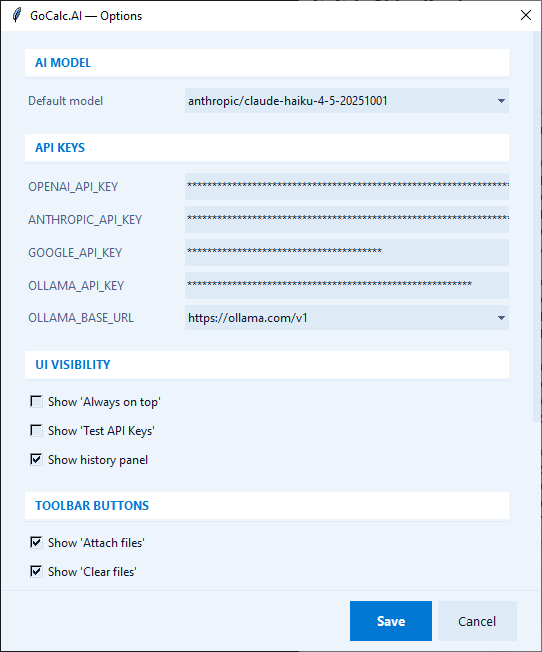
Yes. Configure at least one provider in Options: OpenAI, Anthropic, Google, or Ollama. Image and voice features may require a model or provider that supports those inputs.
License
Can I move my license to another computer?
Close GoCalc on the current computer before opening it on another one. After a license is released, allow up to 8 hours before activating it on a different computer.
Admin Rights
Do I need administrator rights?
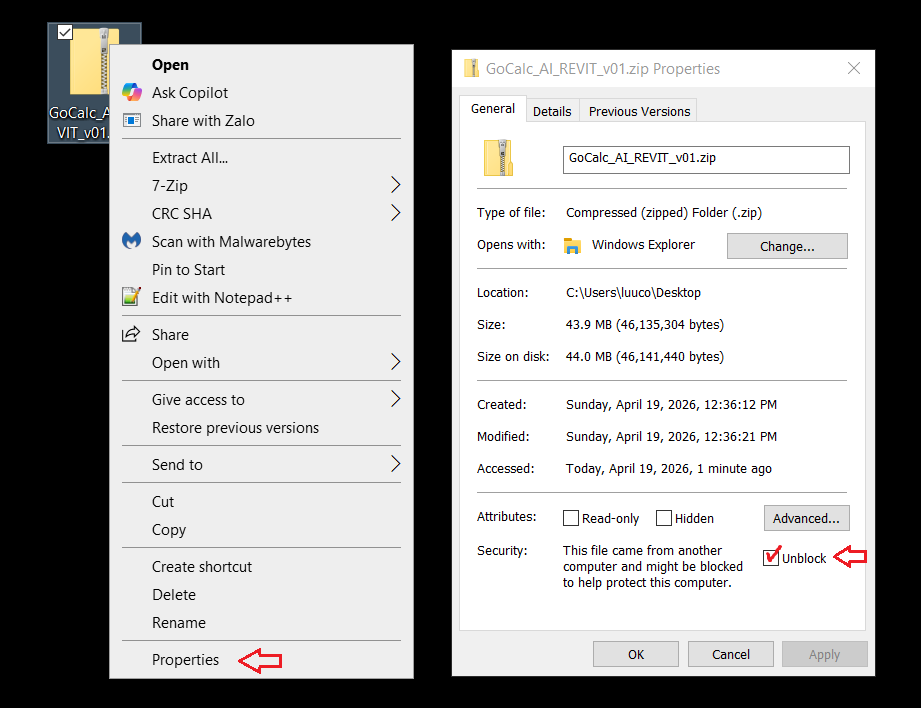
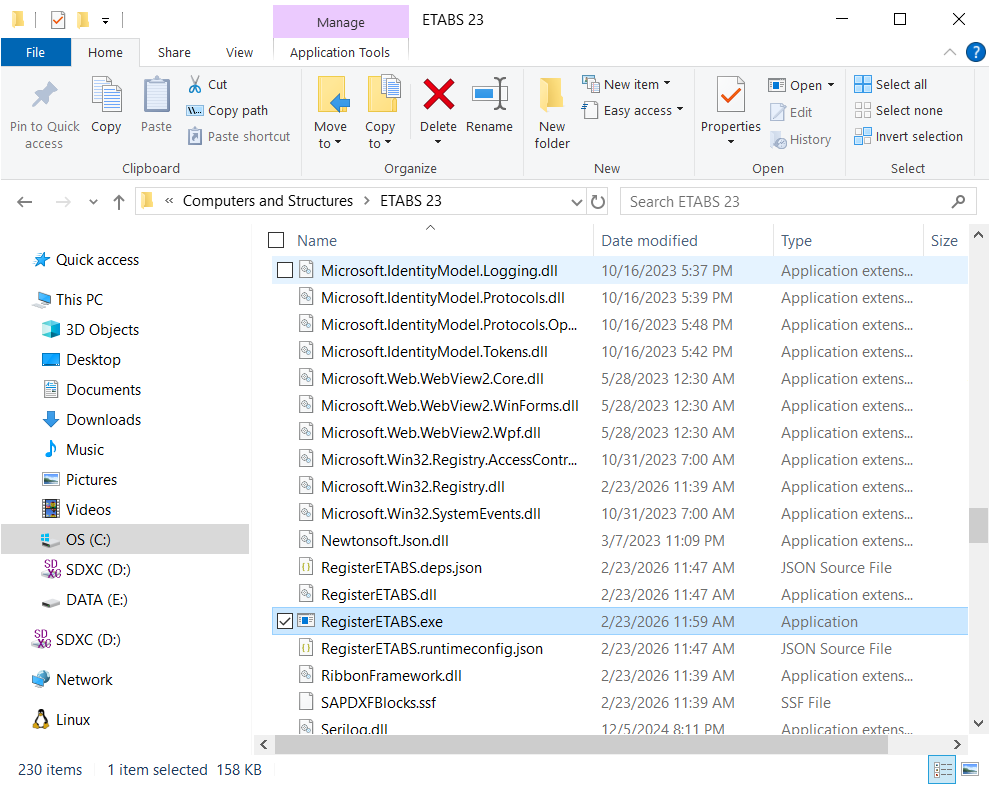
Many Excel add-in workflows do not require administrator rights. If installation, registration, or API connection fails, ask your IT team or a power user to run the installer or registration tool.
Mac
Does GoCalc run on Mac?
The current desktop automation workflow is for Windows. Mac editions of Excel and engineering applications do not expose the same local automation environment.
Backup
Can I undo every automated action?
Some operations performed by add-ins and external application APIs cannot be reversed with the normal Undo command. Save a backup before running automation on critical Excel files or models.